¶ ListenBrainz Scrobbling
ListenBrainz is an open-source service that tracks your music listening habits (scrobbling). Think of it as a privacy-respecting alternative to Last.fm (which you can use instead if you prefer) that integrates perfectly with the ARCHLab music stack.
¶ Guide Navigation
1. Create Account | 2. Get User Token | 3. Connect Navidrome | 4. Mobile Setup
¶ 1. Create your Account
Before connecting any services, you need a central place for your data to land.
- Visit ListenBrainz.org.
- Sign in using a MusicBrainz account (you can create one on the fly).
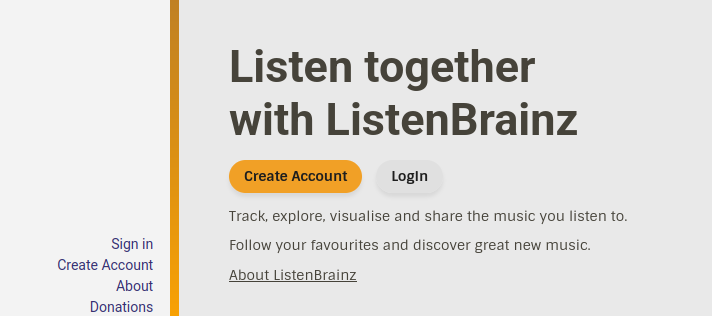
- Set your profile to public or private in the settings based on your preference.
¶ 2. Get your User Token
To allow Navidrome to send data to your account, you need your unique API token.
- While logged into ListenBrainz, go to your User Settings.
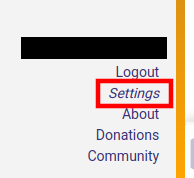
- Look for the User Token section.
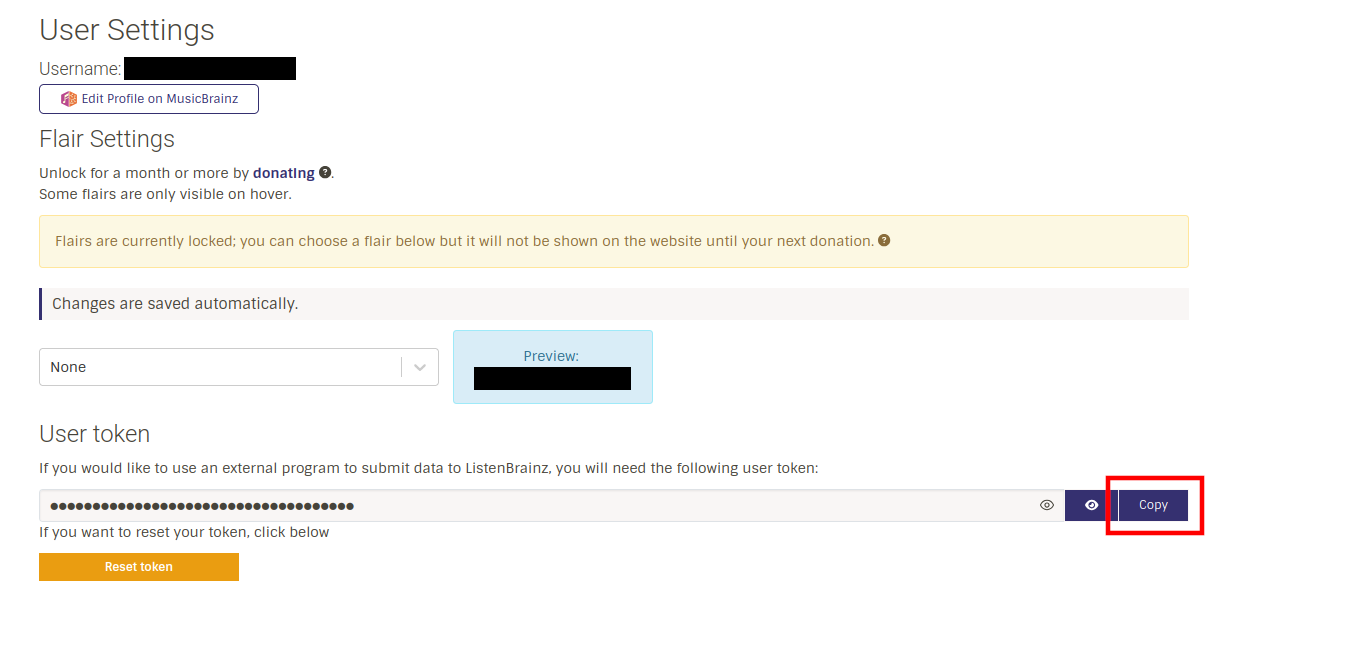
- Click Copy to Clipboard. Keep this secret!
¶ 3. Connecting Navidrome (Web)
Once you have your token, you can enable scrobbling directly on the server.
- Log in to your Navidrome Web Player.
- Click on your User Profile Icon (top right) and select Personal.
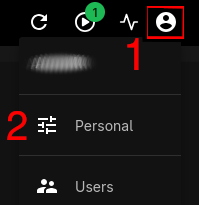
- Locate the Scrobble to Listenbrainz toggle and Click it.
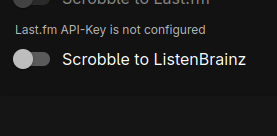
- Paste your token in the field that pops up.
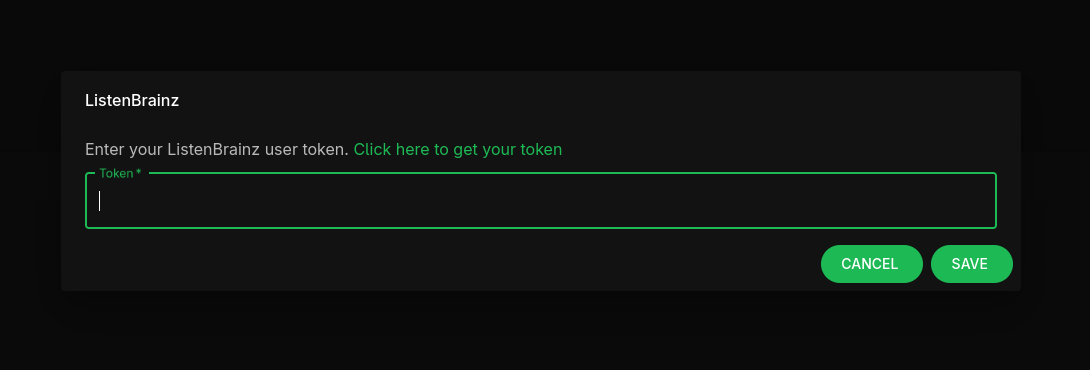
- Click Save.
Verification: Play a song for at least 30 seconds, then refresh your ListenBrainz profile to see it appear in your "Recent Listens."
¶ 4. Mobile App Setup (Optional)
If you use mobile clients like Amuse or Symfonium, you may need to enable scrobbling within the app settings as well.
| App | Method |
|---|---|
| Amuse/Amcfy | Settings > Scrobbling > Toggle "ListenBrainz" and paste Token. |
| Symfonium | Settings > Scrobbling > Add ListenBrainz Account. |
| Pano Scrobbler | (Android Only) Best for tracking multiple apps at once. |
In my experience navidrome handles it pretty well as it scrobbles listens from the server. If you play local music files from your device it will not scrobble.
Thats when you would want the app to have the listenbrains api
¶ Troubleshooting
- Songs not showing? Ensure the song metadata (Title/Artist) is correct. ListenBrainz ignores "Unknown Artist" tracks.
- Delayed stats? Sometimes ListenBrainz takes a few minutes to process the "Now Playing" status into your permanent history.
Back to: Navidrome Hub | Related: Jellyfin Scrobbling